

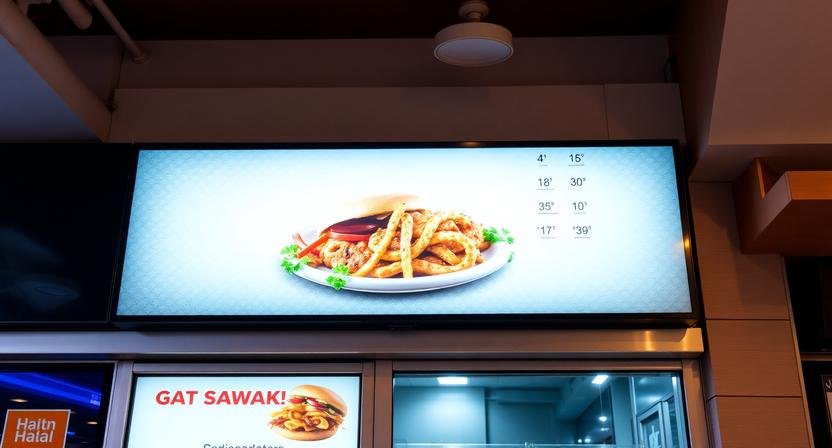
The Digital Window: How Modern Menu Boards Are Redefining Quick-Service Dining
Introduction
The drive-thru experience has long been the backbone of quick-service restaurant success. For decades, the static menu board stood as a silent, unchanging sentinel, presenting the same offerings day after day, year after year. But the modern consumer expects more. They expect visual engagement, real-time accuracy, and an ordering experience that matches the speed of their digital lives. Digital menu boards have emerged as the solution, transforming the drive-thru from a transactional necessity into a dynamic brand experience.
The shift from static to digital represents more than just a technological upgrade. It reflects a fundamental understanding that the ordering moment is a critical touchpoint where customer satisfaction is either won or lost. Every second counts, every visual matters, and every piece of information must be delivered with clarity and precision. Drive-thru digital menu boards are now the frontline ambassadors of restaurant brands, working tirelessly to communicate value, quality, and convenience.
The Unique Challenges of Drive-Thru Environments
Drive thru digital menu boards face challenges that indoor displays simply do not encounter. These environments demand specialized solutions that account for weather, lighting, and the unique psychology of customers who are often rushed and distracted.
Weather and Visibility
Rain, snow, direct sunlight, and extreme temperatures all impact how digital displays perform. Commercial-grade outdoor displays must deliver consistent brightness even in harsh sunlight while remaining readable during overcast conditions. Advanced sensors automatically adjust brightness levels based on ambient light, ensuring optimal visibility throughout the day. Weatherproof enclosures protect sensitive electronics from moisture and temperature fluctuations that would quickly destroy consumer-grade equipment.
Speed of Decision-Making
Drive-thru customers typically spend less than thirty seconds reviewing the menu before placing their order. This compressed decision window demands exceptional clarity and organization. Digital menu boards excel here by presenting information in digestible chunks, using visual hierarchy to guide attention, and employing color psychology to influence choices without overwhelming the viewer.
Audio Integration
Unlike indoor dining where customers read menus at their own pace, drive-thru ordering involves audio communication through speaker systems. Effective drive-thru digital menu boards coordinate with audio messaging to reinforce visual information. When the attendant mentions a daily special, the display highlights that same item with visual emphasis, creating a cohesive experience that reduces confusion and speeds ordering.
Software Capabilities That Drive Success
The hardware matters, but the software running drive-thru digital menu boards determines their true effectiveness. Modern digital menu board software offers capabilities that would have seemed like science fiction just a decade ago.
Dynamic Content Scheduling
Scheduling capabilities allow restaurants to display different content at different times without manual intervention. Breakfast menus automatically appear at six in the morning, lunch offerings take over at ten-thirty, and late-night promotions activate after nine in the evening. This automation eliminates human error and ensures customers always see appropriate offerings for their visit time.
Weather-Triggered Promotions
Advanced software can integrate with weather data to display weather-appropriate items. On hot days, cold beverage promotions take priority. During cold snaps, hot soup and coffee specials receive prominent placement. Rainy days might trigger promotions for comfort food items that customers are more likely to crave during gloomy weather.
Remote Management
Multi-location operators appreciate the ability to manage all drive-thru displays from a central dashboard. Menu updates, pricing changes, and promotional campaigns deploy simultaneously across every location, ensuring consistency and saving countless hours of manual work. Regional managers can customize content for specific markets while maintaining overall brand standards.
Design Strategies for Drive-Thru Success
Designing effective drive-thru digital menu boards requires understanding how customers process visual information under time pressure. The most successful designs follow proven principles that accelerate decision-making and reduce order errors.
The Golden Triangle Concept
Eye-tracking studies consistently show that drive-thru customers’ attention follows a predictable pattern, typically starting at the upper left and moving to the upper right before settling in the lower center. Strategic placement of high-margin items within this golden triangle increases their visibility and likelihood of being ordered. Value items and bundle deals often perform best in these high-attention zones.
Limiting Cognitive Load
Too many options overwhelm customers and slow the ordering process. Effective drive-thru digital menu boards limit choices to manageable categories, typically presenting no more than six to eight featured items at a time. Secondary menus or rotating displays provide additional options without cluttering the primary view. This approach balances variety with simplicity.
Contrast and Readability
High contrast between text and background remains essential for quick reading. Dark backgrounds with light text often perform better than light backgrounds, particularly in bright sunlight. Sans-serif fonts ensure maximum legibility, while font sizes must accommodate customers who may not have perfect vision. Testing readability from various distances ensures all potential customers can easily read every item.
Integration With Ordering Systems
The most powerful drive-thru digital menu boards integrate seamlessly with the restaurant’s ordering and fulfillment systems. This integration creates operational efficiencies that benefit both customers and staff.
Menu Item Availability
When items sell out or become unavailable, integrated systems automatically update the digital display. This real-time accuracy prevents the frustration of ordering something that staff cannot actually serve. Customers appreciate the transparency, and staff appreciate not having to deliver disappointing news.
Order Confirmation Displays
Some drive-thru installations include secondary displays facing the customer that confirm their order details. This confirmation step reduces errors and gives customers peace of mind that their order was accurately received. These displays can also show estimated wait times, managing expectations and reducing perceived wait duration.
Upsell Automation
Integrated systems can automatically suggest complementary items based on the customer’s initial order. When a customer orders a burger, the display might highlight a drink and fries combination. When they order coffee, a pastry suggestion appears. These automated upsells increase average ticket values without requiring staff to remember or manually execute suggestive selling techniques.
Measuring Performance and ROI
Digital menu boards provide data that static displays could never offer. This data enables continuous improvement and justification of the investment.
Sales Analytics
Tracking which items receive the most prominent placement and correlating that data with sales performance reveals what works and what doesn’t. Restaurants can experiment with different layouts and measure the results, gradually optimizing their displays for maximum sales impact.
Order Time Metrics
Digital displays can help reduce order times by facilitating faster decision-making. Measuring average order times before and after digital implementation provides concrete data on operational efficiency gains. Faster order times translate to higher throughput and increased revenue during peak hours.
Customer Satisfaction
Reduced order errors, faster service, and clearer communication all contribute to improved customer satisfaction. Mystery shopper programs and customer feedback systems can measure these improvements, providing a comprehensive picture of how digital menu boards enhance the overall customer experience.
Future Trends in Drive-Thru Digital Displays
The evolution of drive-thru digital menu boards continues accelerating, with exciting developments on the horizon.
Artificial Intelligence Integration
AI-powered systems can analyze traffic patterns, weather conditions, and historical sales data to predict which items to promote at any given moment. These intelligent systems continuously learn and adapt, becoming more effective over time.
Personalized Recommendations
Facial recognition and loyalty program integration may eventually allow displays to recognize returning customers and show personalized recommendations based on their order history. This level of personalization would elevate the drive-thru experience to rival that of the most sophisticated e-commerce platforms.
Interactive Capabilities
Touchscreen drive-thru displays are already appearing in some markets, allowing customers to customize orders and even pay without staff interaction. These systems cater to customers who prefer self-service options and can significantly reduce labor requirements.
Conclusion
Drive-thru digital menu boards have evolved from simple electronic displays into sophisticated communication platforms that drive sales, improve efficiency, and enhance customer satisfaction. The technology continues advancing, but the fundamental principle remains unchanged: helping customers make informed decisions quickly and accurately. Restaurants that embrace these capabilities position themselves for success in an increasingly competitive market where every interaction matters and every moment counts.
Location


Leave a Comment